A Complete Guide to Immutable Backups, Air-Gapped Storage, Disaster Recovery, and Modern Business Continuity Planning
In today’s digital economy, data is the foundation of nearly every business operation. Customer records, financial transactions, intellectual property, operational databases, cloud applications, and internal communications all depend on reliable digital infrastructure. When this information becomes unavailable due to ransomware, hardware failure, human error, natural disasters, or malicious cyberattacks, organizations can experience severe financial losses, operational disruption, and lasting reputational damage.
While cybersecurity technologies continue to evolve, no defense system can completely eliminate risk. Even organizations with sophisticated firewalls, Zero Trust architectures, Endpoint Detection and Response (EDR), and Security Operations Centers (SOCs) must prepare for the possibility that an attacker will eventually bypass preventive controls.
This is why backup strategies remain one of the most important pillars of cyber resilience.
However, traditional backup methods are no longer sufficient. Modern ransomware operators actively search for backup repositories before encrypting production systems, deleting or corrupting recovery copies to eliminate the victim’s ability to restore operations without paying a ransom.
To counter these advanced threats, organizations have adopted the 3-2-1-1-0 backup strategy, an enhanced version of the classic backup rule that incorporates immutable storage, air-gapped copies, and continuous verification to ensure rapid and reliable recovery.
This article explains the 3-2-1-1-0 methodology, why it has become the industry standard for business continuity in 2026, and how organizations can implement a resilient backup architecture capable of restoring operations within hours after a major cyber incident.
Why Backups Matter More Than Ever
Data loss can occur for numerous reasons beyond cybercrime.
Common causes include:
- Ransomware attacks
- Hardware failures
- Human error
- Accidental deletion
- Insider threats
- Software corruption
- Natural disasters
- Power outages
- Cloud service failures
- Supply chain incidents
Without reliable backups, recovering critical business operations may be impossible or prohibitively expensive.
Backups are no longer simply an IT task—they are a strategic business requirement.
The Evolution of Backup Strategies
Traditional backup practices focused primarily on hardware failures.
As cyber threats evolved, backup strategies also became more sophisticated.
Organizations progressed from:
- Local tape backups
- External hard drives
- Network-attached storage
- Cloud backups
- Hybrid backup architectures
- Immutable storage
- Air-gapped repositories
Today’s backup systems emphasize both availability and resistance to deliberate attacks.
Understanding the Classic 3-2-1 Rule
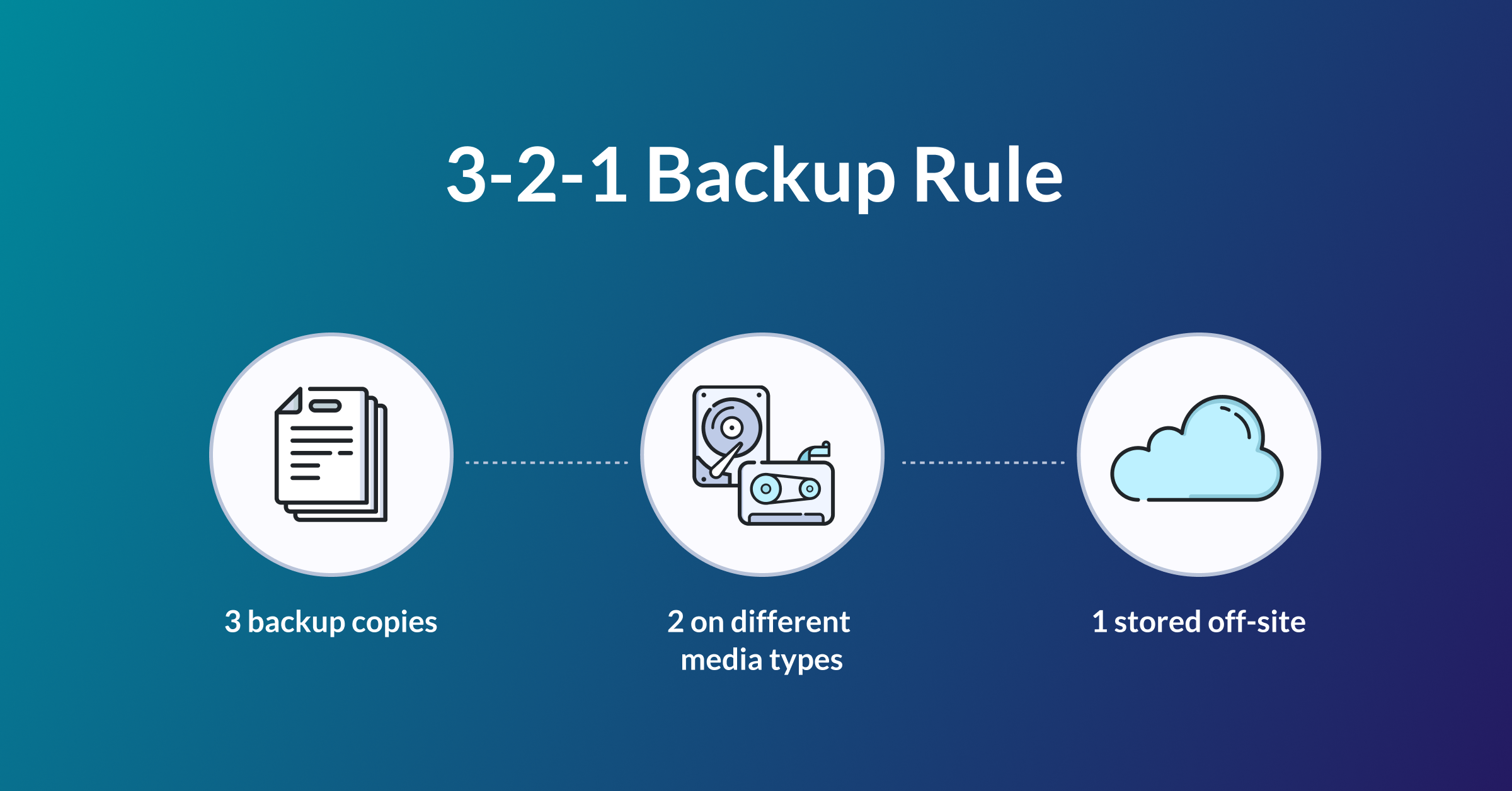
The original 3-2-1 backup strategy remains a valuable foundation.
It recommends maintaining:
- Three copies of important data.
- Two different storage media.
- One copy stored offsite.
This approach protects against localized failures and physical disasters while improving recovery reliability.
However, ransomware has exposed important limitations.
Why the Traditional 3-2-1 Strategy Is No Longer Enough
Modern attackers specifically target backup systems.
Before deploying ransomware, they often:
- Delete backup repositories
- Encrypt backup files
- Disable backup software
- Compromise backup administrators
- Modify retention policies
If attackers can alter or destroy backup data, recovery becomes significantly more difficult.
The enhanced 3-2-1-1-0 strategy addresses these vulnerabilities.
Understanding the 3-2-1-1-0 Backup Rule
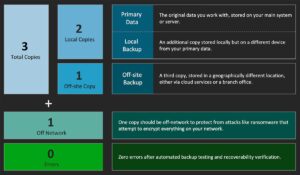
The expanded strategy consists of five essential principles:
Three Copies of Data
Organizations should maintain:
- One production copy
- Two backup copies
Multiple copies reduce dependence on any single storage system.
Two Different Storage Media
Using different storage technologies reduces common points of failure.
Examples include:
- Local disk storage
- Network storage
- Cloud object storage
- Tape libraries
Storage diversity improves resilience.
One Offsite Copy
At least one backup should remain physically separate from production systems.
Offsite storage protects against:
- Fire
- Flooding
- Theft
- Hardware failure
- Facility outages
Geographic separation strengthens disaster recovery capabilities.
One Immutable or Air-Gapped Copy
This represents the most significant enhancement to the traditional strategy.
Organizations should maintain at least one backup that cannot be modified or deleted after creation.
Options include:
- Immutable cloud object storage
- Write Once Read Many (WORM) storage
- Offline tape archives
- Air-gapped storage systems
These copies remain protected even if attackers compromise administrative credentials.
Zero Backup Errors
The final element emphasizes continuous verification.
Every backup should be tested regularly to ensure:
- Successful completion
- Data integrity
- Recovery capability
- Consistent retention
A backup that cannot be restored provides no practical value.
What Is an Immutable Backup?
Immutable storage prevents backup files from being modified, overwritten, or deleted during a defined retention period.
Even administrators cannot alter protected backups before the retention period expires.
Benefits include:
- Protection against ransomware
- Resistance to insider threats
- Compliance support
- Reliable recovery points
Immutability has become a critical defense against modern cyber extortion.
Understanding Air-Gapped Backups
An air-gapped backup is physically or logically isolated from production networks.
Because it remains disconnected, attackers cannot easily access or encrypt it.
Air-gapped storage may involve:
- Offline tape libraries
- Removable storage devices
- Secure vault storage
- Isolated backup environments
Maintaining an isolated recovery copy significantly improves resilience during widespread cyber incidents.
Backup Encryption
Backups often contain highly sensitive information.
Organizations should encrypt backup data:
- During transmission
- While stored
- During replication
Encryption protects confidential information even if backup media are lost or stolen.
Proper encryption key management is equally important.
Automating Backup Processes
Manual backups introduce unnecessary risk.
Automation improves consistency through:
- Scheduled backups
- Policy enforcement
- Automatic retention management
- Failure notifications
- Replication monitoring
Automation reduces human error while ensuring predictable protection.
Recovery Objectives
A successful backup strategy is measured not only by backup creation but also by recovery performance.
Organizations should define:
Recovery Time Objective (RTO)
The maximum acceptable time required to restore operations.
Recovery Point Objective (RPO)
The maximum acceptable amount of data loss measured by time.
These objectives guide backup frequency and infrastructure investments.
Testing Recovery Procedures
Many organizations discover backup problems only during emergencies.
Regular recovery testing should verify:
- File restoration
- Database recovery
- Virtual machine recovery
- Cloud restoration
- Application functionality
Routine testing increases confidence while identifying configuration issues before real incidents occur.
Protecting Cloud Backups
Cloud services simplify backup management but require proper security controls.
Best practices include:
- Multi-Factor Authentication
- Least privilege access
- Immutable cloud storage
- Encryption
- Access monitoring
- Independent recovery accounts
Cloud backups should never rely solely on default provider configurations.
Securing Backup Infrastructure
Backup systems themselves require strong security.
Organizations should implement:
- Dedicated administrative accounts
- Network segmentation
- Multi-Factor Authentication
- Endpoint protection
- Security monitoring
- Patch management
Protecting backup infrastructure reduces the likelihood of compromise.
Backup Monitoring and Reporting
Continuous visibility improves operational reliability.
Administrators should monitor:
- Backup completion status
- Failed backup jobs
- Storage utilization
- Replication success
- Integrity verification
- Recovery testing
Automated reporting enables rapid identification of potential problems.
Integrating Backups into Disaster Recovery
Backups represent only one component of disaster recovery planning.
Organizations should also establish:
- Incident response procedures
- Recovery priorities
- Communication plans
- Alternate infrastructure
- Business continuity workflows
A coordinated recovery strategy minimizes downtime following major incidents.
Common Backup Mistakes
Many organizations unintentionally weaken their recovery capabilities.
Frequent mistakes include:
- Storing backups on the same network as production systems
- Never testing recovery
- Missing immutable storage
- Weak access controls
- Unencrypted backups
- Poor documentation
- Inadequate retention policies
- Ignoring cloud backup security
Addressing these weaknesses significantly improves organizational resilience.
Future Trends in Backup Technology
Backup and recovery technologies continue evolving rapidly.
Emerging innovations include:
- AI-assisted anomaly detection
- Autonomous backup verification
- Continuous data protection
- Immutable cloud-native storage
- Ransomware-aware backup platforms
- Intelligent workload prioritization
- Automated disaster recovery orchestration
These technologies reduce recovery time while strengthening cyber resilience.

Best Practices for Building a Resilient Backup Strategy
Organizations seeking enterprise-grade backup protection should:
- Follow the 3-2-1-1-0 methodology.
- Maintain immutable and air-gapped recovery copies.
- Encrypt all backup data.
- Automate backup scheduling and monitoring.
- Test recovery procedures regularly.
- Define clear Recovery Time Objectives (RTOs) and Recovery Point Objectives (RPOs).
- Secure backup infrastructure with Zero Trust principles.
- Review backup policies as business requirements evolve.
A resilient backup strategy combines technology, governance, and continuous validation.
Conclusion
In 2026, successful business continuity depends not only on preventing cyberattacks but also on recovering quickly when prevention fails. Modern ransomware groups actively target backup systems, making traditional backup approaches insufficient for today’s threat landscape.
The 3-2-1-1-0 backup strategy provides a comprehensive framework for ensuring reliable recovery by combining multiple backup copies, diverse storage media, offsite protection, immutable storage, air-gapped isolation, and continuous verification. Organizations that implement this model significantly improve their ability to restore critical systems within hours rather than days or weeks.
By treating backups as a strategic component of cyber resilience rather than a routine IT task, businesses can minimize operational downtime, protect valuable data, maintain customer trust, and continue operating even in the face of sophisticated ransomware attacks and large-scale cyber incidents.